Codeword Wildcards Explained: How Symbols and Patterns Work
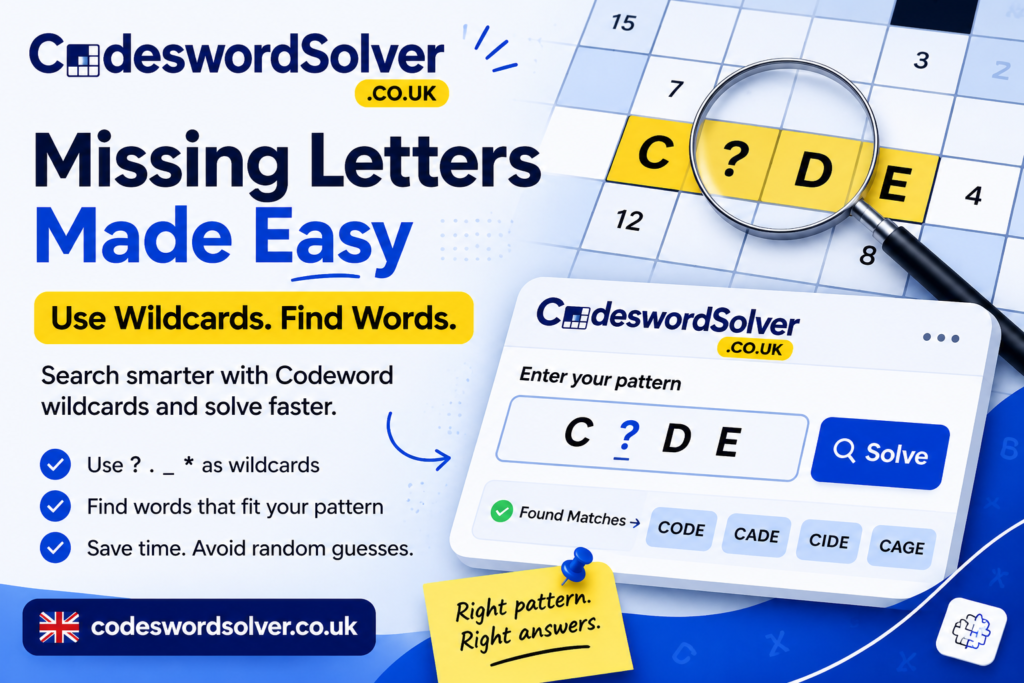
Codeword wildcards help you search for a word when you know some letters but not all of them. Instead of guessing every missing letter, you enter a symbol for each unknown position. The solver then looks for words that fit your pattern.
The idea sounds simple. However, one detail causes plenty of confusion: wildcard symbols are not universal.
One Codeword solver may accept a question mark (?). Another may accept a dot (.). A specific tool may also support an underscore (_) or an asterisk (*). Therefore, you need to understand both the Codeword puzzle rules and the notation used by your chosen solver.
This guide explains how Codeword wildcards work, how they differ from repeated-number patterns, and how to use them without turning a logic puzzle into a guessing contest.
What Is a Codeword Puzzle?
Before looking at wildcards, it helps to understand the puzzle itself.
Puzzler describes a Codeword as a completed crossword-style grid in which numbers from 1 to 26 replace the letters of the alphabet. The same number represents the same letter wherever it appears. Solvers receive some starter letters and must decode the remaining number-to-letter relationships.
For example, if number 12 represents E, every square numbered 12 contains E.
This repeated mapping gives Codeword puzzles their logical structure. You do not solve each word separately. Instead, every confirmed letter can reveal information elsewhere in the grid.
That is also why random guesses can hurt. One bad letter may create several bad words. The puzzle remembers your mistakes even when you would rather it did not.
What Are Codeword Wildcards?
A wildcard represents a letter that you do not yet know.
Suppose you have a five-letter word with this structure:
A..LE
In a solver that accepts dots as wildcards, each dot represents one unknown letter. Therefore, the pattern means:
- first letter: A
- second letter: unknown
- third letter: unknown
- fourth letter: L
- fifth letter: E
APPLE can match this pattern.
The wildcard does not claim that the missing letters are the same or different. It simply says that you have not specified those positions.
For that reason, Codeword wildcards work best when you want to preserve known letters while leaving genuinely uncertain positions open.
Which Wildcard Symbols Do Codeword Solvers Use?
There is no single wildcard symbol that every Codeword solver must support.
That distinction matters because wildcard notation belongs to the solver interface, not to the fundamental rules of a printed Codeword puzzle.
The Question Mark (?)
A question mark often represents one unknown letter.
For example:
C?DE
This pattern describes a four-letter word with C in the first position and DE at the end.
CodewordSolver.com accepts either . or ? for what it calls unique unknown letters.
Likewise, CodewordSolver.co.uk documents the question mark as an unknown, unlinked position. It allows any single letter in that position without forcing it to match another position.
Therefore, ? is a useful choice when your solver supports it and you want an easy-to-read missing-letter marker.
The Dot (.)
A dot commonly serves the same purpose.
For example:
.A.E
means that the second letter is A, the fourth letter is E, and positions one and three remain unknown.
CodewordSolver.co.uk specifically documents both . and ? as single unknown, unlinked letters.
CodewordSolver.com also accepts both symbols for unique unknown positions.
As a result, dots work well when you need a clean and compact word pattern.
Underscore (_) and Asterisk (*)
This is where tool-specific rules become especially important.
The missing-letter solver at codeswordsolver.co.uk states that ?, ., _, and * each represent exactly one unknown letter in that particular solver.
For example:
C_D_
contains two single-letter wildcard positions in that tool.
The same source also warns users that its asterisk represents exactly one letter.
However, you should not transfer that rule automatically to another Codeword solver. CodewordSolver.co.uk, for example, documents . and ? as its supported unlinked wildcard characters rather than listing all four symbols.
So, always check the instructions for the tool you are actually using.
Codeword Wildcards vs Repeated-Number Patterns
Wildcards and repeated-number markers solve different problems.
A wildcard means:
“I do not know this letter.”
A repeated-number marker means:
“I do not know this letter, but I know these positions must follow the same Codeword relationship.”
That extra information can narrow the candidate list dramatically.
CodewordSolver.co.uk supports digits from 1 to 9 as linked unknowns. When the same digit appears more than once, those positions must contain the same letter. Different linked digits must represent different letters within the pattern.
Consider this pattern:
11.E
Here:
- the first two positions contain the same unknown letter;
- the third position remains unrestricted;
- the final letter is E.
The documented example OOZE matches that structure.
CodewordSolver.com uses the same example and explains that numbers represent repeated unknown letters.
Therefore, 11.E carries more information than ...E.
Why Repeated Letters Matter
Imagine that two squares in your puzzle carry the same unresolved number.
If you replace both with separate wildcards, the solver may treat them as unrelated letters. As a result, it can return words that fit the visible letters but break the Codeword pattern.
Instead, use linked-number notation when your solver supports it.
For example, CodewordSolver.co.uk documents:
112.2
In this pattern, positions one and two match each other. Positions three and five also match each other, while position four remains unrestricted.
The word LLAMA fits that pattern.
This method preserves one of the most useful attributes of a Codeword puzzle: repeated number relationships.
How to Use Codeword Wildcards Correctly
A good wildcard search starts with the information already available in your grid.
1. Count the Letters
First, confirm the exact word length.
If the answer contains five cells, your single-letter wildcard pattern should also describe five positions.
For example:
A..LE
represents five letters.
The missing-letter solver at codeswordsolver.co.uk confirms that each of its wildcard characters represents one position.
2. Enter Every Confirmed Letter
Next, add the letters that you already know.
Do not replace a confirmed letter with a wildcard just to produce more results. More results rarely mean better results.
Instead, give the solver every reliable constraint.
3. Mark Genuine Unknowns
Now add a supported wildcard for letters that remain completely unknown.
For instance:
?R??T
contains R in the second position and T in the fifth position.
The remaining three letters stay open.
4. Preserve Repeated Codes
If the grid tells you that two positions share the same Codeword number, preserve that relationship when your solver supports linked patterns.
This step often matters more than adding another random letter guess.
5. Check Candidate Words Against the Grid
Finally, treat every solver result as a candidate, not as a guaranteed answer.
CodewordSolver.co.uk explicitly states that a returned word satisfies the entered pattern but does not guarantee that a puzzle publisher used that word.
Therefore, test the candidate against other words in your puzzle.
If its proposed number-to-letter mapping creates contradictions elsewhere, reject it.
A Simple Codeword Wildcard Example
Suppose you see this five-letter pattern:
A..LE
You know A, L, and E. However, you have not solved the second or third letters.
A wildcard solver may return APPLE as one possible match.
Now imagine that the second and third squares carry the same Codeword number.
That changes the evidence.
Two independent dots do not express the repeated-number relationship. Therefore, a solver that supports linked unknowns should receive a pattern that preserves that relationship.
This example shows why Codeword wildcards and repeated codes should not be treated as interchangeable.
Wildcards express uncertainty.
Linked numbers express uncertainty plus a known relationship.
Common Codeword Wildcard Mistakes
Several small mistakes can make a useful solver far less useful.
Assuming Every Solver Uses the Same Syntax
Do not assume ?, ., _, or * works everywhere.
For example, codeswordsolver.co.uk accepts all four as one-letter wildcards. Meanwhile, CodewordSolver.co.uk documents . and ? for unlinked unknown positions.
Check the tool before entering your pattern.
Ignoring Repeated Numbers
A repeated Codeword number gives you valuable information.
If two cells share a number, do not automatically replace them with unrelated wildcards when your solver can preserve the relationship.
Otherwise, you may receive many unnecessary candidates.
Guessing Too Early
A familiar word can look convincing.
Still, Codeword puzzles rely on the complete mapping across the grid. One attractive answer does not become correct simply because it appears near the top of a solver.
Always verify it elsewhere.
Using the Wrong Word Length
Count every known letter and wildcard position.
If your pattern has six positions but the puzzle answer has seven cells, your search cannot represent the answer correctly.
It sounds obvious. Yet puzzle grids have a remarkable talent for making obvious things invisible after ten minutes of staring at them.
Are Wildcards Part of the Official Codeword Rules?
Not in the basic puzzle format described by Puzzler.
Puzzler explains Codeword solving through numbered letters, starter letters, repeated mappings, word patterns, endings, and double letters. It does not make wildcard characters part of the underlying puzzle rules.
Instead, wildcards provide a convenient way for digital tools to represent unknown positions.
Therefore, you can solve a printed Codeword puzzle without using wildcard notation at all.
The wildcard simply helps a solver understand what you know and what you still need to discover.
When Should You Use a Codeword Wildcard?
Use a wildcard when you know the position of a missing letter but not its identity.
Use a confirmed letter when you already know the number-to-letter mapping.
In addition, use linked-number notation when the puzzle shows a repeated code and your chosen solver supports that feature.
This simple distinction keeps your search accurate:
Known letter → enter the letter
Unknown independent position → enter a wildcard
Unknown repeated relationship → use a linked marker when supported
As a result, the solver receives more useful information without relying on guesses.
Frequently Asked Questions About Codeword Wildcards
What does a wildcard mean in a Codeword solver?
A wildcard usually represents an unknown letter position. However, the exact symbol depends on the solver. Common examples include ? and ., while some tools also accept _ and *.
Does a Codeword wildcard represent one letter?
In the solvers documented in this guide, . and ? represent one unknown position. The missing-letter tool at codeswordsolver.co.uk also treats _ and * as exactly one letter.
Can two wildcards represent the same letter?
They can match the same letter if the solver treats them as independent unknown positions. However, separate wildcards do not usually require them to match.
If the puzzle tells you that the positions share the same number, use repeated-number notation when available.
What do numbers mean in a Codeword solver pattern?
In solvers with linked-pattern support, repeated digits can represent repeated unknown letters. For example, 11.E requires the first two positions to contain the same letter.
Is * always a Codeword wildcard?
No. Its meaning depends on the tool.
The missing-letter solver at codeswordsolver.co.uk defines * as one unknown letter. You should still check another solver’s documentation before using the same syntax there.
Final Thoughts
Codeword wildcards make word-pattern searches easier because they let you describe exactly what remains unknown.
However, the symbol itself matters less than the rule behind it.
A ? or . commonly marks one unknown letter in the Codeword solvers covered here. Some tools also accept _ and *. Meanwhile, repeated digits can preserve relationships between unresolved letters.
Most importantly, keep solver notation separate from the basic Codeword rules.
The puzzle tells you which positions share a number. The wildcard tells the software what you have not solved yet.
Use confirmed letters whenever possible. Preserve repeated-number relationships. Check the word length. Then verify every candidate against the wider grid.
Follow that process, and Codeword wildcards become what they should be: a practical solving aid rather than a shortcut for random guessing.
Ready to try the solver?
Put what you've learned into practice with our free Codeword Solver.
Try the Codeword Solver